
We’re excited to announce the latest version of the custom route feature, which incorporates all the feedback we were able to handle.
Key updates include:
Support for multiple flights per week on a single route.
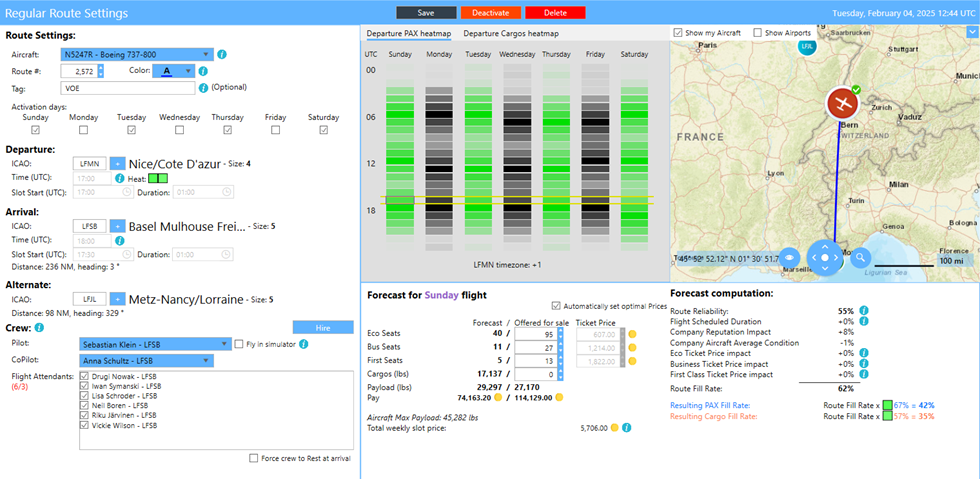
You can now select which days of the week the flight will take place.
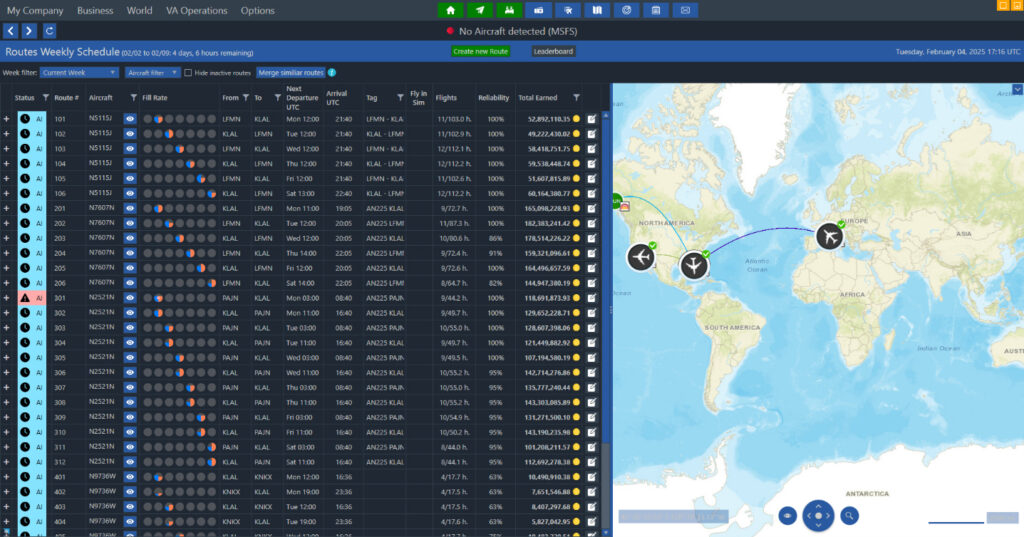
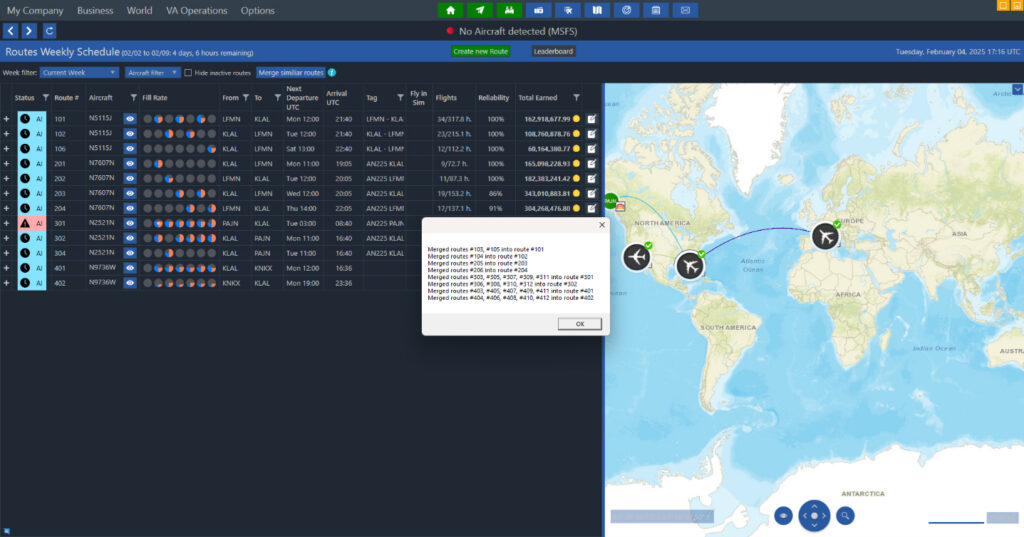
A merge button that allows you to combine existing routes, provided they share the same departure, arrival, and schedule.
Before Merge:
After Merge:
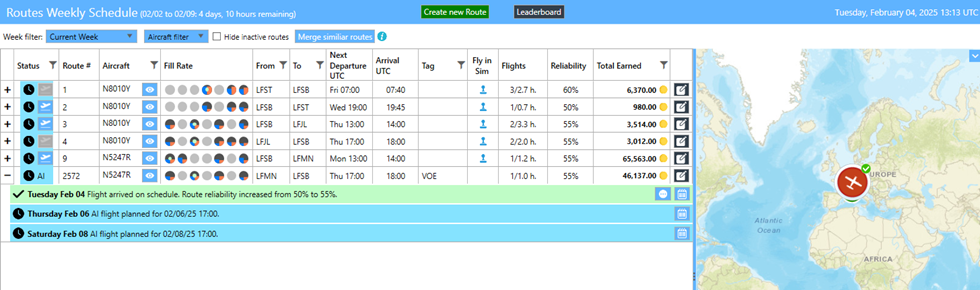
A new user interface that displays summaries for all routes.
Looking ahead, the second stage of the route feature will introduce crew management capabilities and various other feedback.
Other changes
- Fixed an issue where Level Missions were not generated correctly in some rare cases.
- Added an option in the settings menu to update the avatar’s home airport for companies in Onboarding or Freelance-only modes.
- Introduced a button to take a checkride while in Freelance-only and Onboarding modes.
- Employees can now be renamed.
- Resolved an issue where a penalty was incorrectly applied when abandoning a Tour.
- Corrected the duration computation for Regular Routes during schedule adjustments.
- Fixed an issue where teleporting to the first rented aircraft did not work properly in some cases.
- Addressed the problem of the freelance dashboard credits display not updating in certain situations.
- Fixed the registration of the Engine Off flight event, which was not being recorded properly in some rare cases.
- Added logs for when switching between Advanced Career mode and Freelance-only mode.
- Allowed aircraft with a maximum of 14 first-class seats (21 economy) to accept freelance medical jobs.
- Fixed issues with some fields not being filled in the flights endpoint.
- Implemented a short timer for approach taxi lights penalty.
- Automatically applies time corrections at the end of the flight when using time compression in MSFS 2024, as the sim clock is not functioning correctly.
- Prevented the splitting of cargo and PAX for freelance routes.
- Added copy/paste functionality for rescue job coordinates.
- Introduced logs for when an AI flight is diverted due to bad weather.
- Fixed an issue where regular routes flown by AI pilots were incorrectly considered as arriving on schedule in some cases.
- Resolved an issue where trading goods were duplicated in rare cases when using the internal transport output mode.
- Added a menu option to open the VA Management Console while in Freelance-only mode.
- Added a button to access the Aircraft Details page from the Aircraft Preparation page.
- Fixed a timeout issue that occurred when creating a company in some rare cases.
- Corrected the installation issues with Community packages in MSFS 2024 in certain rare situations.
- Removed airport ESHB.
- Fixed level mission generation for some aircraft and addressed incorrect deactivation of regular routes in certain cases.
- Marked EGUW airport as military.
- Doubled system subsidies for non-AI flights in the last week for owned airports.
- Fixed aircraft warping that occurred due to incoherent datetime detected in the simulator during flight.
- Corrected the display issues in the Skill Tree menu that occurred in some instances.
- Resolved the issue of the avatar being transported to the destination airport of a freelance flight while in Advanced Career mode.