
Approach Special Missions and Flight Tools
Special missions add objectives to a flight you already know how to prepare and register. Learn one new activity at a time, keeping the aircraft, weather and route straightforward while you understand its extra conditions.
Step 1. Read the mission before accepting
Inspect its category, aircraft restrictions, departure, objective, deadline and scoring conditions. A rescue is not an ordinary passenger transfer with a different icon. A survey requires the correct equipment and a real flight over the relevant area. A tour can have its own sequence and eligibility rules.
Return to the first-flight checklist: aircraft, crew, airports, fuel, load and simulator connection still apply. Special equipment and passengers also contribute weight.
Step 2. Prepare a rescue as a separate exercise
In the Freelance job selection, choose an eligible small aircraft and the Rescue category. Inspect whether the incident has an exact location or a search area, its terrain and landing zone. Read the actual aircraft/category gate rather than assuming every fleet aircraft can be used.
The rescue workflow returns victims to the departure airport. Identify how you will find the site, land suitably and carry the added passengers home. Keep sufficient fuel and payload allowance for the whole operation.
Screenshot placeholder SM02 — rescue selection. When the company mode and an eligible aircraft permit the exercise, capture a real offer and its map, including exact/search indication and return airport. Do not change the company's current mode merely to produce this image while its cooldown is active.
Step 3. Follow the live mission status
During a real rescue flight, read the mission status card through outbound, search/homing, landing and boarding phases. Boarding requires the landing-zone, ground and speed checks to be satisfied together. If it is unavailable, read which condition is missing rather than repeatedly clicking.
The boarding countdown and resulting passenger load are part of the mission. Verify completion before returning to base, then register the flight and inspect its result.
Screenshot placeholder SM03 — rescue sequence. Capture the actual search/status panel, incident found, valid landing/boarding conditions, completed boarding, return and registered result. These images require a real simulator flight and cannot be replaced by a route preview.
Step 4. Verify simulator scenery and equipment
Where an activity uses scenery objects, check the relevant simulator's asset installation and settings. Use the supplied scenery test when appropriate and read any event-feed failure. A missing visual object and an unmet mission condition are not necessarily the same problem.
For an Ore Detector, verify it is in the aircraft load, then follow the detector's in-flight requirements and read the real deposit values. Chapter 17 leaves the survey illustrations pending until such a flight occurs.
Step 5. Use tracking checks to diagnose a blocked start
Read the tracking conditions individually: date, fuel, payload, model, simulator settings and location. Correct the failed condition and check it again. Do not assume that a connected simulator means its aircraft and load match the OnAir dispatch.
If returning from a work-order leg, verify that the prefilled aircraft, route and crew are the ones intended. Keep the same registration through dispatch, tracking and the final report.
Step 6. Use assistance deliberately
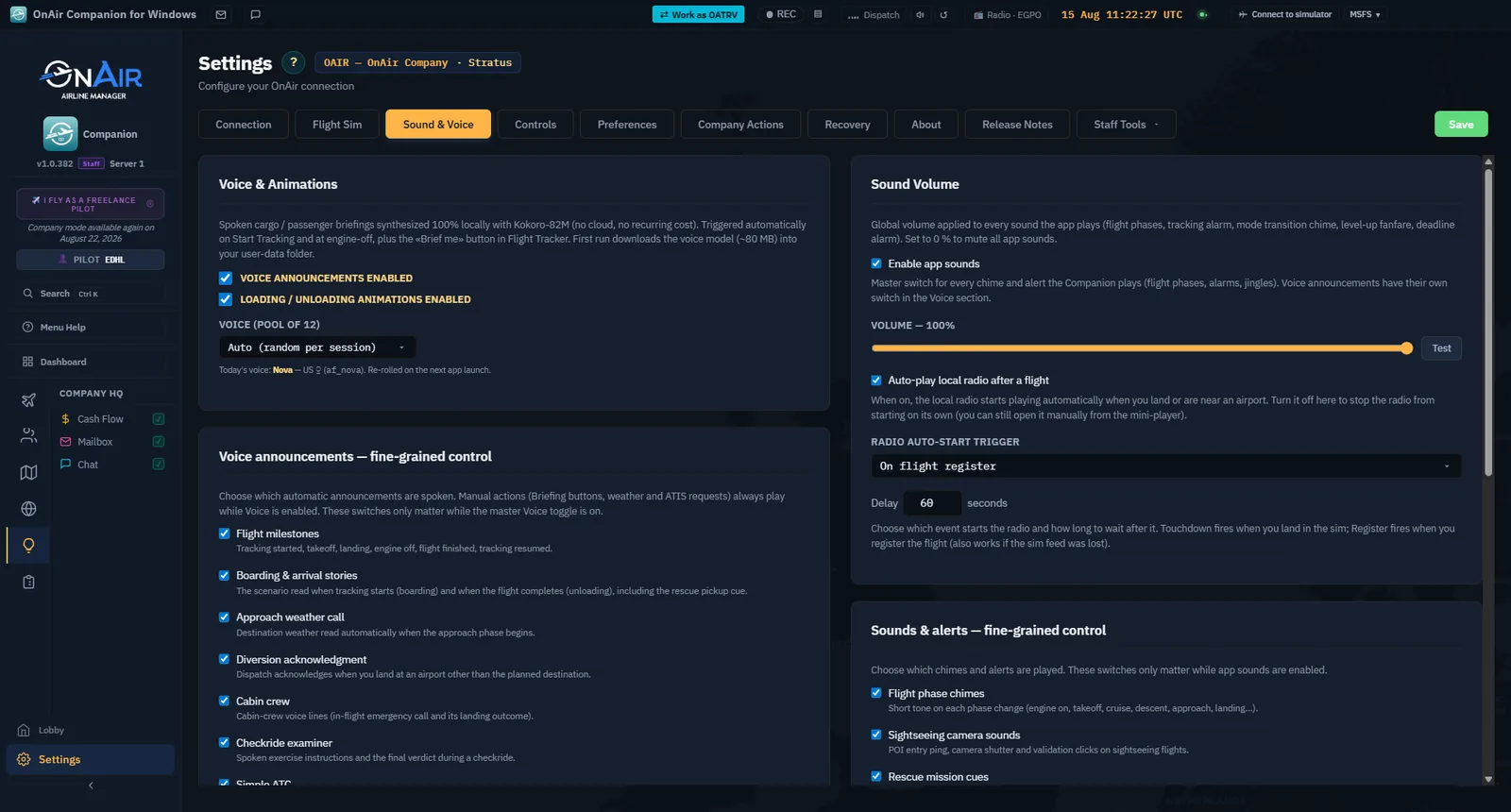
Weather, flight-plan, ATC and sound/voice options can support the exercise. Read each feature's current availability and configuration rather than treating all assistance as automatically enabled. Keep reminders audible if you depend on them for deadlines or connection interruptions.
Step 7. Recover and register
If the simulator connection or server is interrupted, read the saved-flight and recovery information. Preserve the local record and follow the offered recovery path. Do not delete it or start another flight just to clear the warning.
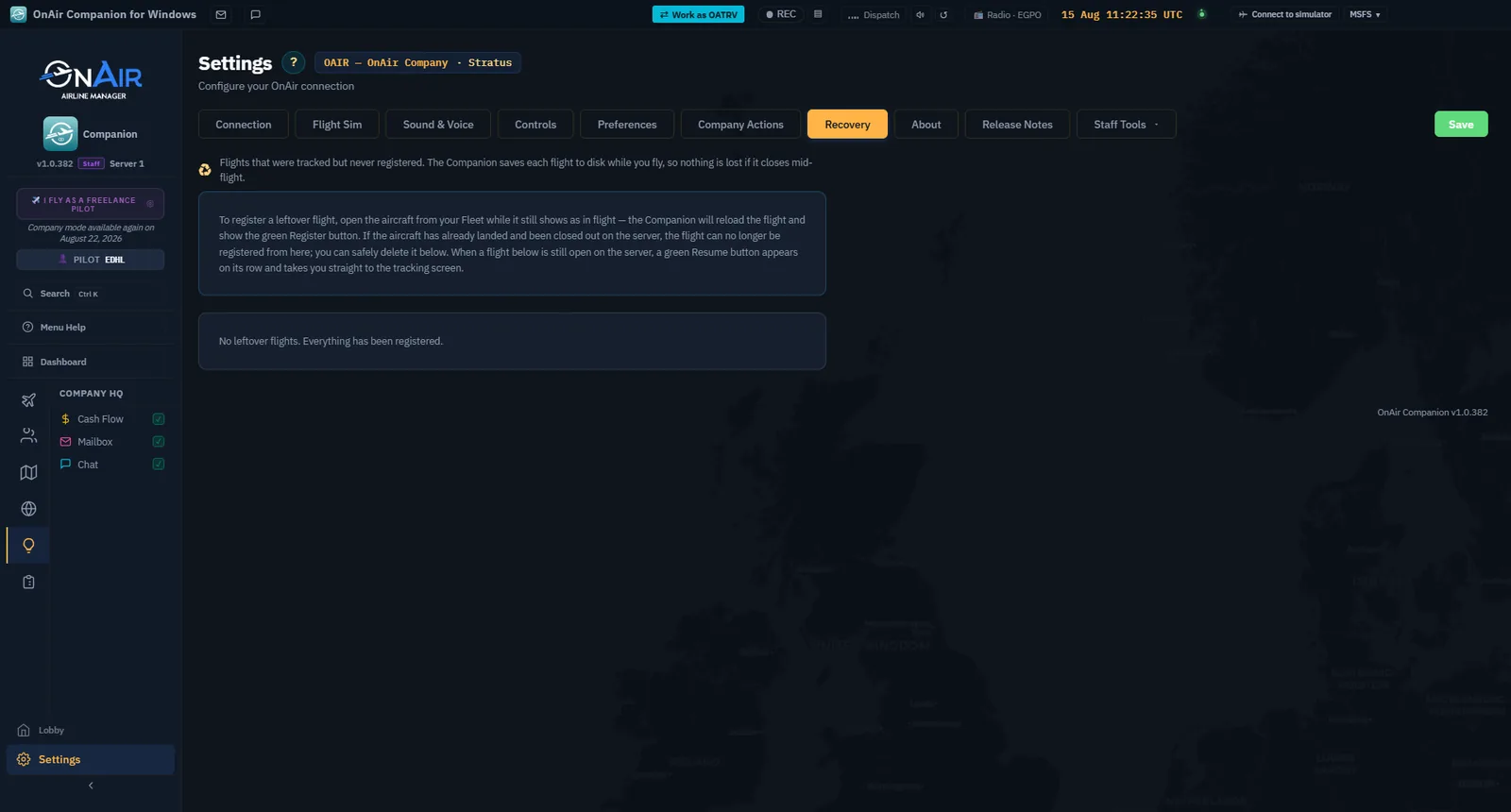
Screenshot placeholder SM07 — actual recovery outcome. If a real interruption occurs, capture the message, available recovery action and successful registration of that same flight. Keep this conditional; deliberately disconnecting is not required to complete the tutorial.